 اللغة العربية
  Español
  Français
  Pусский
  简体中文
简体中文 

.webp "FS-FHSS Wireless Simultaneous Interpretation System")
.webp "IR Simultaneous Interpretation System")
.webp "Interpreter Console")

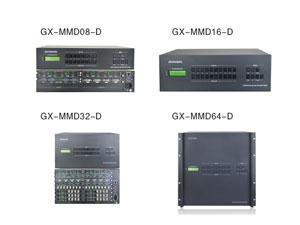
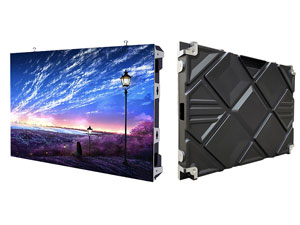
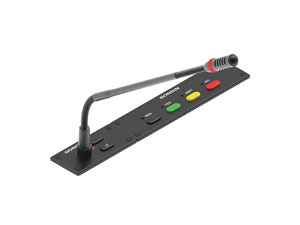
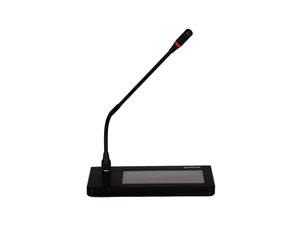


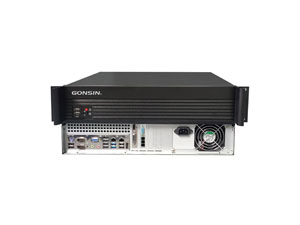

A professional hardware-driven video matrix system serves as the technological foundation required to orchestrate these complex signal pathways. By creating a multi-to-multi cross-switching routing matrix, a high-performance video matrix system ensures that any visual or audio input can be transmitted independently to any targeted display device without signal attenuation. This underlying capability allows schools and universities to achieve zero-latency media delivery, transforming both classroom interactivity and centralized campus-wide security operations.
(1).jpg "/uploads/image/2026/07/14/波兰奥尔什丁大学 University in Olsztyn (East-North of Poland)(1).jpg")
Why Educational Institutions Need Video Matrix Systems
The primary bottleneck in legacy school AV systems is signal latency and digital handshake friction. When a professor attempts to switch between a presentation laptop, an encrypted media player, and a live lab demonstration feed, traditional switchers frequently cause screen flickering, aspect ratio distortion, or sudden black screens. This technical friction delays lecture momentum and strains on-site IT support teams.
Implementing a specialized video matrix system resolves these connectivity bottlenecks. Advanced systems utilize high-speed routing pipelines with switching speeds reaching up to 200 nanoseconds, ensuring that video cuts happen instantaneously during live teaching. Furthermore, because campus facilities house a diverse mix of legacy 1080P monitors and modern 4K interactive whiteboards, the matrix system provides built-in EDID reading, writing, and switching functionalities. This enables seamless backward compatibility with multiple resolutions up to 3840 × 2160 @ 30Hz, guaranteeing absolute visual stability regardless of the display hardware generation.
Key Applications of Video Matrix Systems in Schools and Universities
A rugged, commercial-grade video matrix system adapts smoothly to distinct environments across an academic campus, isolating individual visual channels while enabling flexible multi-screen presentations.
| Campus Application Area | Primary AV Integration Challenge | Video Matrix System Solution |
|---|---|---|
| Smart Classrooms & Pods | Sharing individual student desk streams to primary display walls dynamically. | Bi-directional cross-switching controlled via a simple visual interface or PC client. |
| Multi-Screen Lecture Halls | Displaying separate presentation slides, live camera tracking, and remote feeds simultaneously. | Multi-channel matrix routing (e.g., 4x4 or 8x8 chassis) to drive individual projectors independently. |
| Security Monitoring Hubs | Consolidating dozens of localized surveillance cameras onto a unified display layout. | Real-time, zero-latency hardware switching to track perimeter events with zero frame loss. |
| Administrative Boardrooms | Managing executive university meetings, policy votes, and international symposia. | Seamless integration with central conference control systems and automated camera tracking. |
How Video Matrix Systems Support Smart Classrooms and Lecture Halls
In modern collaborative learning theaters and active-learning smart classrooms, the instruction model relies on dynamic, multi-directional information flows. Instructors require the flexibility to push a single high-resolution medical simulation stream to multiple student pods, or conversely, pull a specific student's coding work onto the main projection wall.
A professional video matrix system handles these intricate routing requirements effortlessly. Advanced matrix designs feature independent audio de-embedding paths—such as the 3.5mm dedicated audio interfaces built into the GONSIN GX-HDMI0808S2 chassis—allowing operators to separate audio streams and route them straight to specialized sound systems or PA amplifiers. By utilizing integrated scene call and save features (supporting up to 10 distinct layout groups), technical teams can pre-configure optimal viewing structures. Instructors can instantly transform the room's entire display topography with a single press of a front-panel button, maximizing teaching efficiency.
To learn more about optimizing your campus infrastructure, check out the specialized GONSIN University Audio Video System configurations engineered specifically for multi-tier lecture environments.
Video Matrix Systems for Campus Security and Surveillance
Protecting students, faculty, and administrative assets is the highest priority for campus operations leaders. Modern campus security networks utilize hundreds of high-definition surveillance units across parking facilities, residential areas, and building entryways. However, high camera density is only effective if safety personnel can review and isolate critical visual feeds instantly during an emergency.
A heavy-duty hardware video matrix system operates as the centralized processing hub within the campus security monitoring center. When a perimeter breach or automated building alarm triggers, the central security platform can immediately signal the matrix switcher through its native RS232 protocol or network control interface. The system overrides current layouts instantly, forcing the high-resolution feed from that specific zone onto the main video wall. Because each signal path is routed independently inside a rack-mountable 1U metal housing, the visual stream remains fully isolated from external electromagnetic interference, providing stable, crisp monitoring feeds when every second matters.
How to Choose the Right Video Matrix System for Your School or University
Selecting a video matrix system for academic deployment requires careful evaluation of technical benchmarks to prevent premature equipment obsolescence as the campus footprint grows.
Port Matrix Capacity: Evaluate immediate input/output requirements and select a chassis (such as 4x4 or 8x8 configurations) that allows at least 20% headroom for future presentation hardware additions.
Media Stream Compliance: Ensure the matrix system supports native HDCP decoding on dedicated input channels to enable the glitch-free playback of protected educational videos and digital documentaries.
Control Integration: Look for versatile management architectures that support front-panel keys, infrared control, RS232 protocols, and PC client applications to ensure seamless compatibility with existing room automation setups.
Power Grid Resilience: Campus equipment runs for extended periods. Choose hardware that utilizes a wide-voltage input range (AC 100-240V) to safeguard internal components against local electrical grid fluctuations.
Conclusion
A reliable video matrix system serves as the crucial link that transforms scattered presentation monitors and campus cameras into a unified, high-performing multimedia infrastructure. By combining low-latency hardware switching with advanced EDID management, educational institutions can foster deeply immersive learning spaces while keeping their facilities fully protected.
Since 2003, GONSIN has pioneered complete audio-visual communication architectures deployed in premier educational and state venues across 140 countries. Our certified ISO 9001:2015 video matrix solutions provide the continuous stability, 4K clarity, and integration ease demanded by modern academic environments. Please Contact Us today to collaborate with our regional engineering design specialists for a customized campus equipment evaluation.
Frequently Asked Questions (FAQ)
1. Can a school video matrix system switch audio and video simultaneously?
Yes. A professional video matrix system handles cross-switching for HDMI signals containing embedded audio, while offering dedicated de-embedding interfaces to route audio feeds independently to local speakers.
2. Why is HDCP decoding compliance necessary for classroom matrix switchers?
HDCP compliance ensures that copyright-protected educational media, such as commercial films or digital documentaries, can be distributed through the matrix switcher without triggering handshake errors or blank screens.
3. Can our IT department manage the matrix system remotely?
Yes. The matrix can be managed remotely from a central IT helpdesk utilizing specialized PC client software or a web browser interface over an integrated network control module.
4. What does the 10-group scene call function do in a lecture hall?
The scene call function allows technical staff to save up to 10 custom screen layout combinations. Instructors can alternate between these preset multi-screen display modes instantly with one button click.