Choosing the right automatic speech recognition software for a conference room involves more than comparing basic speech-to-text performance. The system must work with the room’s microphones, recognize spoken content clearly, associate records with the appropriate participants, and support an efficient workflow from live transcription to post-meeting review.
A well-designed automated voice recognition system can display real-time captions, organize meeting records by speaker or microphone role, synchronize text with recordings, and make important statements easier to search after the session. These capabilities are particularly valuable in boardrooms, government chambers, training rooms, and multi-room conference facilities where accurate and structured documentation is required.
The best solution depends on how meetings are conducted, how many rooms need recognition services, where the data will be processed, and how the final transcript will be used. This guide explains the key factors to evaluate before selecting automatic speech recognition software for a professional conference environment.
What Should Automatic Speech Recognition Software Do in a Conference Room?
Conference-room ASR software should convert live speech into text that remains useful throughout the meeting lifecycle. A continuous transcript may record what was said, but it becomes far more valuable when the content is connected to the relevant speaker, synchronized with the audio, and available for later correction and retrieval.
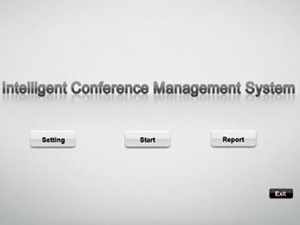
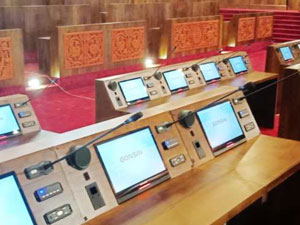
During the meeting, the system may display real-time text on an operator interface, a main screen, a paperless conference terminal, or a video output. Afterward, authorized users should be able to review the transcript alongside the recording, correct recognition errors, find important statements, and export a usable document.
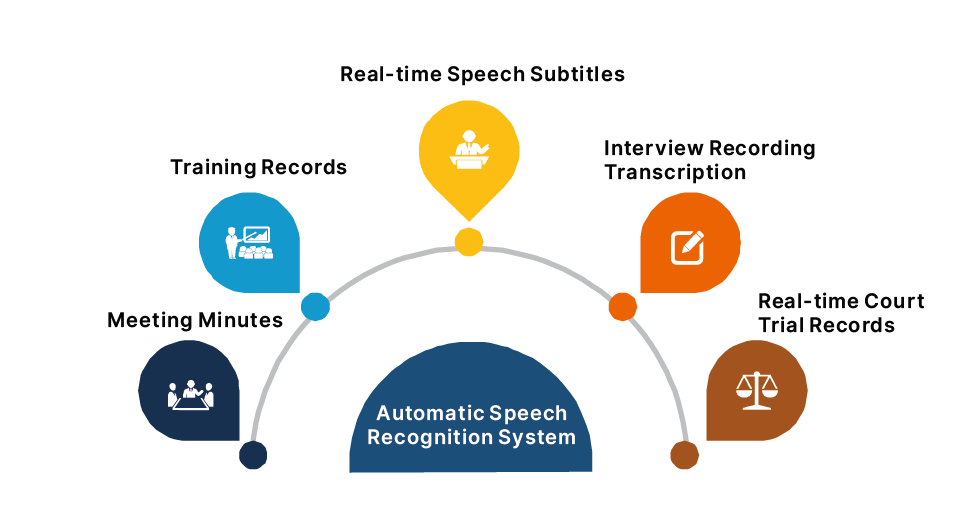
The exact workflow will vary. A corporate boardroom may focus on internal records and action reviews, while a government chamber may place greater importance on speaker identification and formal documentation. A conference center may need several rooms to use the recognition service at the same time.
Which Meeting Requirements Should Be Defined First?
The selection process should begin with how meetings are actually conducted. Buyers need to understand whether participants use assigned discussion microphones, whether several rooms operate simultaneously, and whether captions are required during the session or only a transcript is needed afterward.
Room type also affects the system design. In a boardroom or council chamber, the relationship between a microphone and a named participant may be central to the transcript. In a lecture or training room, the priority may be continuous transcription of one main presenter. Large conference venues usually need centralized server management and enough processing capacity to support several active rooms.
Language requirements should also be confirmed early. It is important to distinguish between speech recognition, translation, and subtitle display because they may depend on different software modules or external services. Buyers should verify that the selected configuration supports the required languages rather than assuming that every language is available by default.
Once these operating conditions are clear, it becomes easier to determine the appropriate software, server, microphone integration, and display configuration.
How Do Audio Quality and Speaker Identification Affect Results?
Recognition quality begins with the audio entering the software. Even advanced automated speech recognition software cannot fully compensate for weak pickup, excessive reverberation, distorted sound, or several participants speaking over one another.
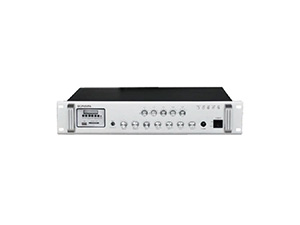
For this reason, the recognition platform should be evaluated together with the conference microphones, discussion controller, audio processing equipment, room acoustics, and network. A structured conference system can provide cleaner and more organized input than a single mixed room recording.
Speaker identification is especially important in formal meetings. When the conference system knows which microphone is active, the corresponding participant name or role can be linked to that section of the transcript. This creates a clearer record than a long block of text with no indication of who said what.
Buyers should also test names, locations, abbreviations, product terminology, and other vocabulary commonly used by the organization. Software that supports custom terms or language-model adaptation can be prepared with recurring names and specialist expressions before important meetings.
A realistic demonstration is more useful than a test conducted with a clean sample recording. The software should be evaluated under normal room conditions, using the actual microphones, speaking styles, languages, and terminology expected in daily operation.
Should You Choose Cloud-Based or Privately Deployed ASR?
Deployment affects system capacity, network dependence, IT management, and the way meeting data is processed. The best approach depends on how many rooms need access, how confidential the meetings are, and whether the organization has the resources to maintain a local server.
| Deployment Option | Suitable Environment | Main Consideration |
|---|
| Online Recognition | Organizations that prefer flexible access without maintaining a complete local recognition server. | Internet stability, service availability, language support, ongoing costs, and data-handling policies should be reviewed. |
| Lightweight Private Deployment | Individual meeting rooms or smaller facilities that prefer local operation. | The local server must provide sufficient capacity for the expected number of recognition inputs. |
| Conference Center Private Deployment | Government facilities, universities, convention centers, and other multi-room environments. | The network and server should support simultaneous room usage, centralized management, storage, and future expansion. |
Recognition capacity should be planned around the number of meetings and audio inputs operating at the same time, not simply the total number of microphones installed in the building. It is also important to confirm how the supplier defines a recognition channel, as the term may refer to an audio stream, microphone role, or room input.
Private deployment may provide greater local control, but it still requires appropriate permissions, server protection, backup procedures, software maintenance, and technical support. Cloud deployment may reduce local infrastructure requirements, although it introduces greater dependence on external connectivity and service policies.
Which Caption, Record Management, and Integration Functions Matter?
Real-time transcription is only one part of a useful meeting system. During the session, captions should be displayed where participants can actually read them. This may be on the main room screen, an extended monitor, an operator workstation, a paperless terminal, or an overlaid video image.
The selected software should allow the text size and layout to suit the intended display. Caption output should also be tested with the existing video system because recognition software alone does not guarantee that text will automatically appear in a recording, livestream, or external conferencing platform.
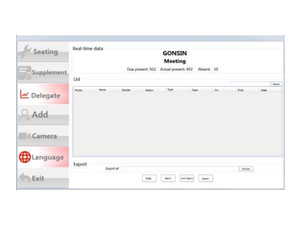
After the meeting, the transcript should remain connected to the original recording. Synchronized playback allows the operator to hear the relevant audio while correcting the text. Search and retrieval functions can then help users locate a statement without replaying the full meeting.
Buyers should also clarify the difference between a transcript and formal meeting minutes. An ASR platform can convert and organize spoken content, but official minutes may still require human editing, verification, and approval.
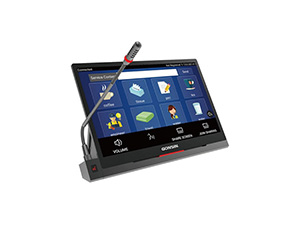
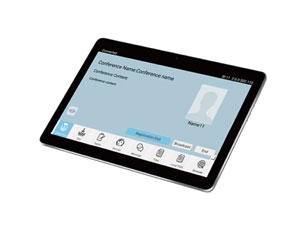
Integration should be considered across the complete conference environment. The recognition software may need to exchange information with the discussion system, participant database, paperless terminals, recording equipment, subtitle displays, and server infrastructure. An automated voice recognition system should therefore be treated as part of a coordinated conference solution rather than as a standalone application.
How Can You Compare Solutions and Choose the Right Supplier?
A meaningful comparison should follow the complete path from spoken audio to the finished meeting record. The demonstration should show how the software receives microphone audio, associates text with participants, displays captions, synchronizes the transcript with recordings, and exports the final document.
Buyers should pay particular attention to whether the system works with their existing conference equipment and whether it can support the expected room quantity and meeting volume. Language availability, role-based transcription, post-meeting correction, user permissions, and technical support should also be confirmed before the project is finalized.
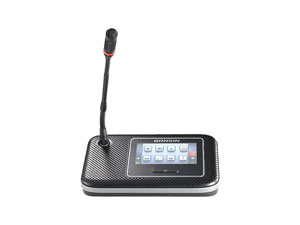
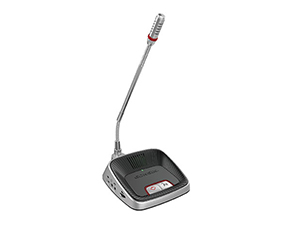
GONSIN develops conference discussion systems, automatic speech recognition solutions, paperless meeting platforms, subtitle display software, and recording equipment for different meeting environments. Organizations planning a coordinated conference-room setup can review the available GONSIN conference system products to understand how speech capture, participant management, transcription, captions, and recording can work together.
Before requesting a proposal, it is helpful to prepare a room layout, microphone configuration, expected number of simultaneous meetings, required languages, preferred deployment method, and intended caption and documentation workflow. This gives the supplier a clearer basis for recommending the appropriate system architecture.
Contact GONSIN to discuss an automatic speech recognition solution designed around your conference-room requirements.
Conclusion
Choosing automatic speech recognition software for a conference room requires more than comparing basic speech-to-text output. The system should fit the room’s microphones, participant roles, language requirements, meeting volume, caption displays, document workflow, and data-management policies.
Clear audio input and reliable speaker-role information provide the foundation for an organized transcript. Suitable deployment, practical record-management tools, and compatibility with the wider conference system then determine whether the software can support daily operation effectively.
Testing the solution in a realistic meeting environment is the most reliable way to confirm whether it can meet current requirements and adapt to future expansion.
Frequently Asked Questions About Conference Room ASR Software
1. What does automatic speech recognition software do?
It converts spoken audio into text and may also support speaker-role organization, captions, recordings, text correction, search, and document export.
2. Can ASR software distinguish different conference speakers?
It can organize speakers more clearly when it receives compatible participant or active-microphone information from the conference system.
3. Is cloud or private ASR deployment better?
Cloud deployment offers flexibility, while private deployment provides greater local control. The right choice depends on network, security, capacity, and maintenance requirements.
4. Can ASR software automatically create final meeting minutes?
It can generate and organize a transcript, but formal meeting minutes usually still require human review and approval.



 اللغة العربية
  Español
  Français
  Pусский
  简体中文
简体中文 
.webp "FS-FHSS Wireless Simultaneous Interpretation System")
.webp "IR Simultaneous Interpretation System")
.webp "Interpreter Console")