 اللغة العربية
  Español
  Français
  Pусский
  简体中文
简体中文 
.webp "FS-FHSS Wireless Simultaneous Interpretation System")
.webp "IR Simultaneous Interpretation System")
.webp "Interpreter Console")
In hybrid meetings, council sessions, lecture halls, and training rooms, remote viewers need more than a fixed wide-angle image. They need to see the person who is speaking, follow a presenter who is moving, and understand how the speaker relates to the content being discussed.
An automatic camera tracking system can reduce the need for continuous manual camera control, but not every tracking system works in the same way. A fixed-seat conference room may use microphone signals and preset PTZ camera positions, while a classroom may require visual presenter tracking that follows an instructor across a teaching area.
Understanding these differences is essential when selecting cameras, discussion units, control software, video switchers, and recording equipment for a professional AV system.
What Is an Automatic Camera Tracking System?
An automatic camera tracking system controls one or more PTZ cameras so that the appropriate speaker or presenter remains visible without requiring an operator to manually adjust every shot.
The tracking trigger depends on the system design. In a fixed-seat conference environment, the conference processor can identify which microphone is active and recall the PTZ preset assigned to that seat. In other configurations, a camera can use voice detection, visual recognition, motion analysis, or a compatible infrared terminal to locate and follow the target.
Automatic tracking should therefore be understood as a group of related technologies rather than a single universal function. The correct tracking method depends on whether participants remain seated, move around the room, share microphones, or present from a defined stage area.
.png "/uploads/image/2026/08/04/GX-3370H12B (2).png")
How Does Automatic Camera Tracking Work?
Microphone-Linked Speaker Tracking
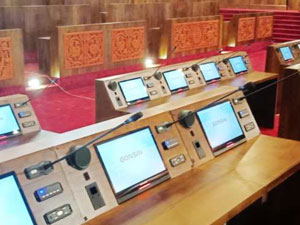
Microphone-linked tracking is commonly used in boardrooms, council chambers, conference halls, and other rooms with assigned speaking positions.
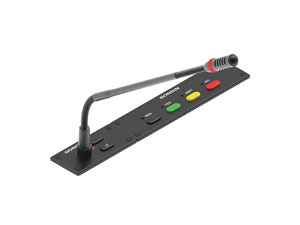
Each discussion unit or microphone position is associated with a PTZ camera preset. When a participant activates the microphone, the conference system sends a control command to the camera or video tracking matrix. The camera then moves to the corresponding preset and frames the speaker.
When the microphone is deactivated, the system can return to a panoramic room view, remain on the previous speaker, or switch to another active microphone according to the configured meeting rules.
Visual Presenter Tracking
Visual presenter tracking is more suitable for lecture halls, training rooms, and presentation spaces where one main presenter moves within a defined area.
The camera analyzes the presenter’s position and movement, then adjusts pan, tilt, and zoom to maintain an appropriate frame. Depending on the camera and tracking mode, the presenter may be able to move without wearing a separate positioning device.
Visual tracking performance can still be affected by lighting, obstructions, crowded stages, similar-looking subjects, and movement outside the configured tracking zone. Camera placement and tracking-area calibration remain important.
Voice Tracking and Automatic Framing
Some conference cameras support voice-based speaker tracking or automatic group framing. Voice tracking directs the camera toward the detected speaker, while automatic framing adjusts the image to include the participants currently present in the room.
These modes are often useful in small and medium-sized meeting rooms. Larger rooms may require multiple cameras, microphone-linked positioning, or a video switcher to provide consistent coverage.
Main Types of Automatic Camera Tracking
| Tracking Method | How It Identifies the Target | Best-Fit Applications | Important Limitation |
|---|---|---|---|
| Microphone-Linked Preset Tracking | Uses the active conference microphone or discussion unit ID to recall a preset camera position. | Boardrooms, council chambers, committee rooms, courtrooms, and fixed-seat conference halls. | Works best when microphone and seating positions are known in advance. |
| Infrared Terminal Tracking | Tracks a compatible conference terminal through infrared positioning signals. | Conference environments where compatible terminals may be repositioned within the tracking area. | Requires supported conference terminals and suitable infrared coverage. |
| Visual Presenter Tracking | Uses image analysis to identify and follow a moving presenter. | Lecture halls, classrooms, training rooms, keynote stages, and presentation studios. | Performance depends on lighting, sightlines, movement patterns, and tracking-zone setup. |
| Voice Tracking and Auto Framing | Uses voice direction or participant detection to adjust the camera view. | Small and medium hybrid meeting rooms, executive rooms, and collaboration spaces. | May be less precise in large rooms or when several people speak simultaneously. |
These methods can sometimes be combined, but system designers should not assume that every camera supports every tracking mode. Camera models, control protocols, conference terminals, matrices, and software must be checked as part of the complete system configuration.
Benefits of Automatic Camera Tracking
Reduced Dependence on Continuous Manual Control
In routine meetings, classes, and training sessions, automatic tracking can handle many standard camera movements and speaker changes. An operator may still be needed for complex productions, unusual room activity, or manual overrides, but the overall control workload can be reduced.
More Consistent Speaker Visibility
Properly configured camera presets and tracking zones help keep the current speaker visible instead of leaving remote participants with a distant room overview. This can improve visual communication during hybrid meetings, recorded classes, and multi-party discussions.
Repeatable Meeting and Teaching Workflows
Once microphone positions, camera presets, default views, and switching rules have been configured, the system can reproduce a consistent workflow across recurring meetings and classes.
Flexible Integration with Other AV Systems
Depending on the selected equipment, tracking cameras can work with conference discussion systems, camera control software, video matrices, recording equipment, streaming servers, central control platforms, and video conferencing endpoints.
However, automatic tracking does not by itself guarantee recording, live streaming, remote conferencing, or multi-camera program production. Those functions require the appropriate video outputs, capture devices, switching equipment, software, and network configuration.
Where Should Automatic Camera Tracking Be Used?
Government Meeting Rooms and Legislative Chambers
Fixed-seat government and legislative environments are among the strongest applications for microphone-linked camera tracking. Each delegate microphone can be mapped to one or more camera presets, allowing the system to display the recognized speaker during formal discussions.
For meetings that must be recorded, archived, or streamed to the public, the tracking system should be integrated with a separate recording and broadcasting platform. The camera tracking function selects or frames the speaker, while the recording system manages video capture, storage, program output, and live distribution.
Corporate Boardrooms and Hybrid Conference Rooms
In boardrooms with assigned seats and individual discussion microphones, preset tracking provides predictable framing and reliable speaker identification. Small and medium collaboration rooms may instead use voice tracking or automatic group framing.
Room size matters. A single auto-tracking camera may be sufficient for a compact meeting room, while a long boardroom or multi-row conference room may require several PTZ cameras and a tracking switcher to avoid extreme camera angles and excessive zoom.
Lecture Halls and Electronic Classrooms
In education, the tracking method should match the teaching activity. Visual presenter tracking is suitable when an instructor moves between a lectern, display, and whiteboard. Microphone-linked tracking is more suitable for panel discussions, academic seminars, or student question-and-answer sessions with fixed discussion units.
Presenter tracking keeps the instructor framed, but it does not automatically guarantee that writing on a board, presentation slides, or small demonstration objects will remain readable. These materials may require screen capture, a document camera, a secondary close-up camera, or manually configured presets.
Panel Discussions and Press Briefings
Automatic tracking can support panel discussions and structured press briefings when speakers use assigned microphones or remain within known stage positions. The system can switch between executives, moderators, and panelists according to microphone activity or configured presets.
It is less suitable as the only camera-control method when journalists move freely around the room, several people speak without assigned microphones, or the event requires creative broadcast shots. In these situations, automatic tracking can support the production team, but it does not fully replace a video director or camera operator.
Large Conference Halls and Convention Venues
Large conference halls, convention centers, auditoriums, and multi-purpose assembly venues often involve long viewing distances, multiple seating zones, several speaking positions, and a combination of stage presentations and audience discussions. In these environments, a single auto-tracking camera is rarely sufficient to provide complete coverage.
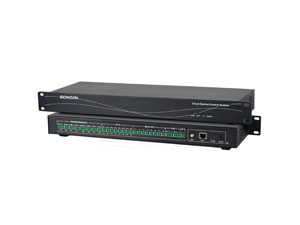
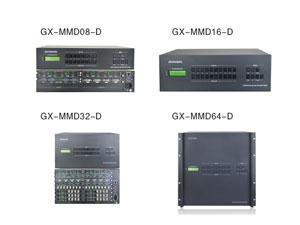
A typical automated camera tracking system for a large venue may combine several PTZ cameras, conference microphones, camera presets, and a video tracking matrix. When a delegate activates a microphone, the system can select the camera with the clearest viewing angle and recall the corresponding close-up preset. A separate camera can maintain a panoramic view of the stage or audience.
For keynote speeches and stage presentations, visual presenter tracking may be used to follow a moving speaker within a defined area. However, audience questions, panel discussions, and speakers located across different seating sections are usually better handled through microphone-linked preset tracking.
Large venues may also require recording, live streaming, interpretation feeds, display routing, and multi-camera program output. These functions depend on additional video matrices, switchers, recording systems, encoders, and central control equipment. Manual override should remain available for high-profile events, unexpected speaker movement, and complex production requirements.
Applications That Require Additional Equipment or Manual Control
Automatic camera tracking is most effective when the target and room workflow are reasonably predictable. It should not be treated as a complete replacement for every video production function.
Events involving crowded stages, rapid audience interaction, moving interviewers, product close-ups, performance recording, or creative multi-camera direction often require additional cameras and manual control. Tracking may still provide a useful presenter or speaker shot, while an operator manages wide shots, audience reactions, presentation content, and detail views.
Similarly, recording and live streaming require a recording, encoding, or broadcasting system. Integration with platforms such as Zoom or Microsoft Teams may also require a USB connection, video capture interface, conferencing codec, or software-based production platform, depending on the camera outputs and meeting-room design.
How to Choose the Right Automatic Camera Tracking Solution
Define Whether Participants Are Seated or Moving
Begin by identifying the primary target. Fixed-seat delegates generally benefit from microphone-linked preset tracking, while instructors and presenters who move around a stage require visual or movement-based tracking.
Review the Room Layout and Camera Sightlines
Camera quantity and placement should be based on room length, seating direction, ceiling height, obstructions, display positions, and required shot sizes. A camera should not need to shoot through monitors, furniture, or other participants to reach the target.
Plan the Default and Multi-Speaker Views
The system should have a defined panoramic view for periods when no microphone is active. It should also specify what happens when several microphones are active, when speakers interrupt one another, or when the tracked presenter leaves the configured area.
Separate Tracking Requirements from Recording Requirements
Decide whether the project only needs camera control or also requires recording, live streaming, video conferencing, picture-in-picture layouts, content capture, or multi-camera program output. These requirements affect the selection of matrices, switchers, recording units, encoders, and software.
Maintain Manual Override Capability
Even a well-configured system should allow an operator to recall presets, adjust framing, select another camera, or temporarily disable tracking. Manual override is especially important for high-profile meetings and live events.
Test the System Under Real Operating Conditions
Final commissioning should include normal room lighting, presentation screens, whiteboards, simultaneous speakers, empty seats, audience movement, and the actual microphone modes used during meetings. Testing only in an empty room may not reveal the conditions that affect tracking performance.
Building an Automatic Camera Tracking System with GONSIN
GONSIN offers a range of conference and AV system products, including automatic tracking cameras, conference discussion systems, camera tracking management software, video tracking matrices, signal switchers, and recording and broadcasting equipment for meeting and educational environments.
The correct configuration depends on the room layout and communication workflow. A council chamber may require microphone-linked presets and multi-camera switching, while a classroom may prioritize presenter tracking and lecture recording. A hybrid boardroom may combine speaker tracking, automatic framing, and a video conferencing endpoint.
Camera quantity, microphone type, seating layout, tracking distance, video outputs, recording requirements, and control protocols should all be evaluated before installation. This helps ensure that each component works as part of a coordinated audio and video system rather than as a standalone device.
Contact GONSIN to discuss your room dimensions, camera coverage, meeting workflow, and system integration requirements with the technical team.
Conclusion
An automated camera tracking system can improve speaker visibility and reduce routine camera-control work in meetings, classrooms, lecture halls, and training rooms. Its effectiveness depends on selecting the right tracking method for the way people actually use the space.
Microphone-linked preset tracking is generally the better choice for structured, fixed-seat discussions. Visual presenter tracking is more appropriate for instructors and speakers who move within a defined presentation area. Voice tracking and automatic framing can simplify smaller hybrid meeting rooms.
For reliable results, camera tracking should be planned as one part of the wider AV system. Recording, streaming, conferencing, content capture, and detailed demonstration shots may require additional equipment and should be specified separately during system design.
Frequently Asked Questions About Automatic Camera Tracking
1. What is the difference between speaker tracking and presenter tracking?
Speaker tracking identifies the active participant through a microphone, voice signal, or conference terminal. Presenter tracking visually follows a person who moves around a stage, classroom, or training area.
2. Is automatic camera tracking suitable for council chambers?
Yes. Council chambers with assigned seats and individual discussion microphones are well suited to preset camera tracking because each microphone position can be mapped to a specific PTZ camera view.
3. Can an auto-tracking camera follow a teacher around a classroom?
A visual presenter-tracking camera can follow an instructor within a configured teaching area. Performance depends on camera placement, lighting, obstructions, room size, and the selected tracking mode.
4. Can automatic camera tracking record or livestream a meeting?
Camera tracking controls the shot, but recording and live streaming normally require a separate recording unit, encoder, streaming platform, or production system.
5. Can the system automatically show small equipment details during training?
Not reliably with presenter tracking alone. Small components, control panels, and wiring details are usually better captured with a dedicated close-up camera, document camera, or manually configured camera preset.
6. Can automatic camera tracking work with Zoom or Microsoft Teams?
It can be integrated into a video conferencing room when the selected camera and system provide compatible USB, HDMI, SDI, or IP outputs. Some installations may also require a capture device or conferencing codec.