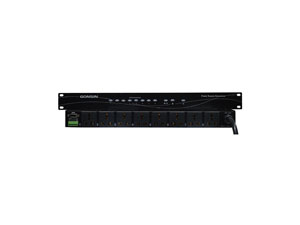
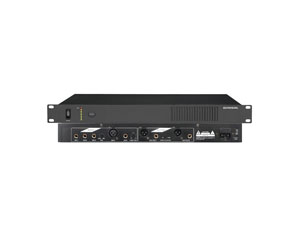
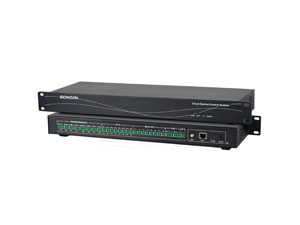
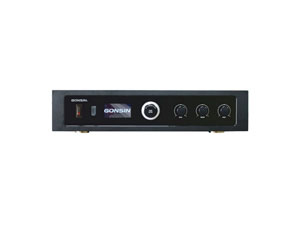
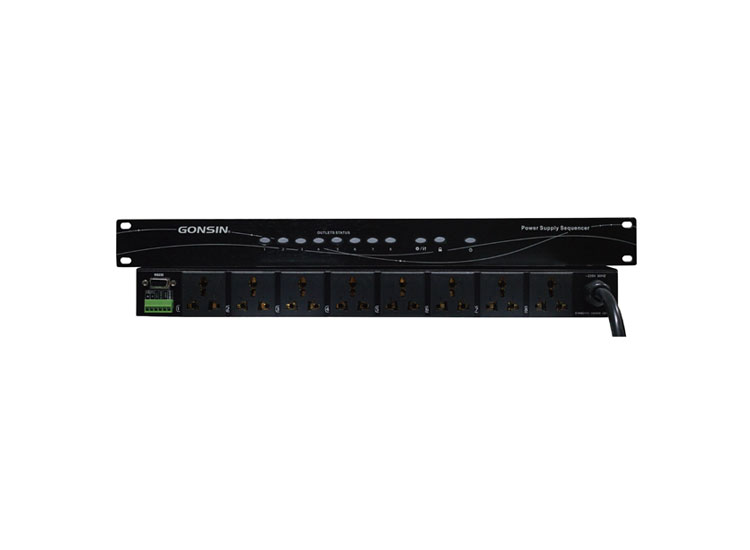
The power supply sequencer plays a crucial role in managing and controlling the on/off sequence of various power lines during system startup and shutdown. In many electronic systems—especially complex microprocessor systems—different components have varying power requirements and operational demands. Turning all power sources on or off simultaneously can cause system malfunction or even damage. If the power-on sequence is incorrect, the system may fail to boot properly or shut down safely. The power supply sequencer effectively avoids such issues, ensuring the stable operation of electronic equipment. It is an essential device in audio engineering, broadcast systems, computer networks, and many other electrical systems.
Key Parameters of the Power Supply Sequencer
Power Input and Output
Includes input voltage, maximum input current, output voltage, maximum output current, number of channels, and socket type.
Front Panel (Control Interface)
Includes sequence toggle switch and LED indicators for each channel's status.
Channel Delay Interval
Usually a fixed value between 1 to 1.5 seconds.
Switching Components
Internal power control is typically managed via relays.
Bypass Switch
Acts as a backup in case the sequencer's controller fails. When turned off, all channels are directly powered on.
Control Input
Usually includes one IO control interface (TTL level) to detect short circuits or other load-related issues.
Control Communication
RS232 interface allows daisy-chaining and management between sequencers, enabling system expansion and the transmission of address and status data.
Other Parameters
Includes weight, dimensions, and environmental requirements. Some advanced sequencers also feature voltage meters, circuit breakers, and power filters.
How to Use the Power Supply Sequencer?
Startup/Shutdown
When turning the sequencer on, channels are powered in sequence. When turning it off, the sequence runs in reverse.
Status Indicators
LEDs indicate whether each channel (1 to X) is powered on (light on) or off (light off).
Voltage Display
Shows the current voltage once the main power is turned on.
Bypass Outlet
This outlet is not affected by the power switch; it remains constantly powered.
Circuit Breaker
Provides safety protection against leakage, short circuits, and overloads by automatically tripping the breaker.
Precautions When Using the Power Supply Sequencer
Proper Connection and Labeling
Ensure correct connections, respect switch sequence and power capacity, and label each power cord to correspond with the system. Check all connections before use. If possible, prepare a backup sequencer.
Check High-Power Connections Regularly
For high-power equipment like amplifiers, periodically inspect connectors—especially during mobile or stage applications where vibration during transport may loosen plugs. In humid environments, check for oxidation to avoid poor contact or heat buildup due to increased resistance.
Model Selection Based on Load
Choose the sequencer model based on the number of devices and the power consumption of large equipment like amplifiers. Make sure the number of channels and socket types meet actual needs without unnecessary excess.
Total Current Management in Cascading Use
In complex setups requiring multiple sequencers, monitor total current draw. When possible, separate power distribution for lighting and other systems.
Set Reasonable Time Intervals
Allow sufficient delay between powering on channels to ensure stable startup. Too short an interval can overload the power supply; too long may delay device readiness.
Plan the Power-On Order in Advance
Arrange the power-on/off sequence based on the equipment’s characteristics and technical requirements.
Observe Safety Guidelines
Make sure all power input/output connections are correct and the system complies with electrical safety standards. Keep the sequencer away from water and avoid using it in damp environments to prevent accidents.



 اللغة العربية
  Español
  Français
  Pусский
  简体中文
简体中文 



.webp "FS-FHSS Wireless Simultaneous Interpretation System")
.webp "IR Simultaneous Interpretation System")
.webp "Interpreter Console")